_edited.png)
What Is Wix Studio and Why It Matters for Wix Site Owners


Struggling with a website that feels limiting or outdated is a challenge many business owners know all too well. When your online presence shapes how Hungary and the world see your brand, choosing the right platform makes all the difference. Wix Studio stands out as a professional website creation platform delivering responsive design, advanced customization, and team collaboration so your business can compete confidently and grow online.
Table of Contents
Key Takeaways
Point | Details |
Wix Studio Offers Advanced Capabilities | Wix Studio provides features like responsive editing, custom code integration, and real-time collaboration, making it suitable for agencies and professionals. |
Scalable Pricing Structure | The pricing is flexible, tailored for team size and project volume, ensuring cost-effectiveness as businesses grow. |
Centralized Asset Management | It allows teams to manage all assets in one place, enhancing consistency and speeding up workflow across projects. |
Integrates SEO and Responsive Design | Built-in SEO tools and responsive design capabilities are crucial for online success, ensuring sites perform well across devices and search engines. |
Wix Studio Defined: Purpose and Core Concepts
Wix Studio is a professional website creation platform designed specifically for agencies, freelancers, and growing businesses that need more control over their design and functionality. Unlike the standard Wix editor, Wix Studio offers advanced design tools and custom code capabilities that let you build production-ready websites without limitations. Think of it as upgrading from a standard car to a sports car—you get better performance, more customization options, and the ability to handle complex projects.
At its core, Wix Studio provides three main capabilities that separate it from traditional website builders:
Responsive editing allows you to design for desktop, tablet, and mobile simultaneously, ensuring your site looks perfect on every device
Custom code integration gives you the flexibility to add your own HTML, CSS, and JavaScript for specialized functionality
Real-time collaboration enables multiple team members to work on the same project at once, reducing approval bottlenecks and speeding up development
These features matter because they address real problems small and medium-sized businesses face. When you’re trying to compete online, you can’t afford a website that looks amateur or functions poorly. Responsive design steps for Wix and Wix Studio sites ensure your business maintains a professional appearance across all devices, which directly impacts how potential customers perceive your brand.
The platform is built for scalability. As your business grows, your website grows with it. You can add complex features, integrate third-party tools, and refine your design without outgrowing the platform. Many agencies choose Wix Studio precisely because they can hand off websites to clients for ongoing management, or they can maintain them for recurring revenue opportunities. The custom code capability means you’re not locked into what Wix provides out of the box—if you need something specific, you can build it.
Wix Studio bridges the gap between simplicity and power, giving you a professional-grade builder that doesn’t require you to hire a developer for every change.
Understanding why Wix Studio exists helps you see whether it fits your needs. The original Wix editor works wonderfully for basic sites and small businesses with straightforward requirements. But if you need pixel-perfect design control, or want to deliver customized solutions, Wix Studio is the tool that scales with your ambitions. It’s particularly valuable for web design agencies boosting Wix success since it gives them professional capabilities without requiring them to switch to expensive enterprise platforms.
One often-overlooked benefit is the collaboration feature. When you’re working with clients or team members, being able to build together in real-time eliminates the back-and-forth of sending files, waiting for feedback, and manually merging changes. Everyone sees the same canvas. Changes happen instantly. This alone can cut your project timelines by 20 to 30 percent depending on your workflow.
Pro tip: Start by auditing your current website’s limitations—if you’re constantly running into design constraints or wishing you could customize behavior, Wix Studio is likely the upgrade that solves those frustrations.
How Wix Studio Differs From Classic Wix
If you’ve used the classic Wix editor, you might wonder what exactly changed with Wix Studio. The truth is, they’re built on different philosophies. Classic Wix prioritizes simplicity and speed—you can launch a basic site in hours without touching code. Wix Studio, by contrast, is designed for professionals who need control, flexibility, and the ability to scale. Wix Studio supports custom coding, responsive design workflows, and team collaboration features that the classic editor simply doesn’t offer.
The differences become clear when you compare what each platform enables:
Design control: Classic Wix uses predefined templates with limited customization. Wix Studio lets you build custom layouts from scratch and adjust every element responsively for different screen sizes
Custom code: Classic Wix allows basic HTML/CSS in certain areas. Wix Studio gives you full access to custom HTML, CSS, and JavaScript throughout your entire site
Collaboration: Classic Wix is primarily a solo-builder tool. Wix Studio includes centralized workspace management where multiple team members can work simultaneously on projects, assets, and client sites
Client handoff: Classic Wix requires you to manage client access through limited account sharing. Wix Studio provides a professional ecosystem where you can manage multiple client projects from one dashboard
Think of it this way: classic Wix is like a furnished apartment you can decorate. Wix Studio is the ability to remodel the walls, rewire the electricity, and completely change the floor plan. One serves someone looking for a quick solution; the other serves someone building a business around web design.
Why does this matter for your business? When you’re trying to build a competitive online presence, template limitations hurt. You can’t differentiate yourself or deliver what clients actually want. With classic Wix, every site starts to look like every other Wix site because you’re working within the same design constraints. Wix Studio removes those constraints entirely.
Another significant difference is the asset management system. Classic Wix stores assets scattered across your editor. Wix Studio centralizes everything—fonts, images, components, color palettes—in one organized library. This speeds up your workflow and ensures consistency across projects. If you need to change a button style everywhere, you do it once in the library and it updates automatically.
The technical capabilities show the clearest distinction. Classic Wix lets you add custom code in specific designated areas. Wix Studio lets you inject custom code anywhere, use external APIs, build custom components, and create complex workflows that depend on logic and data. This means you can build features that are genuinely impossible in classic Wix—advanced filtering systems, custom calculators, membership flows, and integrations with third-party platforms.
The gap between classic Wix and Wix Studio isn’t just about features—it’s about what you can actually build and who you can build it for.
For agencies and freelancers, the collaboration difference is transformative. In classic Wix, if two team members need to work on the same site, you’re managing file exports, versions, and manual syncing. Wix Studio’s real-time collaboration means edits happen instantly across your team, client reviews are streamlined, and project timelines shrink by weeks in many cases.
Performance and scalability also differ. Wix Studio is optimized for large, complex sites with thousands of pages and heavy customization. Classic Wix works fine for smaller projects but can feel sluggish when you push it beyond its intended use case. If you’re building a sophisticated e-commerce platform or a complex portfolio with custom functionality, Wix Studio handles it. Classic Wix will struggle.

Pro tip: If you’re currently on classic Wix and finding yourself constantly fighting template limitations or wishing you could add custom features, that’s your signal to migrate to Wix Studio—the investment in moving pays back quickly through faster builds and happier clients.
Key Features: Responsive Design and SEO Tools
Wix Studio puts two critical capabilities front and center: responsive design and SEO optimization. These aren’t afterthoughts or add-ons—they’re built into the core platform because they directly impact whether your website succeeds or fails online. If your site doesn’t adapt beautifully to mobile devices or doesn’t rank in search results, all the design work becomes irrelevant.
Responsive design in Wix Studio works differently than you might expect from other builders. Instead of choosing from preset mobile layouts, you get direct grid manipulation on the canvas that lets you customize how your design adapts across every screen size. You’re not locked into “desktop view” and “mobile view”—you control the exact breakpoints where your layout shifts.
Here’s what this means in practice:
Custom breakpoints: Define exactly when your layout changes instead of accepting predefined mobile sizes
Visual responsiveness: Adjust element sizes, spacing, and positioning directly on the canvas as you resize
No-code animations: Create smooth transitions and interactions that enhance user experience across all devices
Clean, accessible code: The responsive framework generates semantic HTML and CSS that search engines and assistive technologies understand
The SEO advantages compound from there. Search engines prioritize mobile-friendly sites, and Wix Studio’s responsive approach ensures every visitor sees an optimized experience. But the platform goes further. Responsive design directly boosts engagement and SEO by improving page speed, reducing bounce rates, and increasing time-on-page metrics that Google tracks.
Beyond responsive design, Wix Studio includes built-in SEO tools that small and medium-sized business owners actually use. You get control over meta titles, meta descriptions, heading hierarchies, and image alt text—the fundamentals that determine whether Google understands what your page is about.
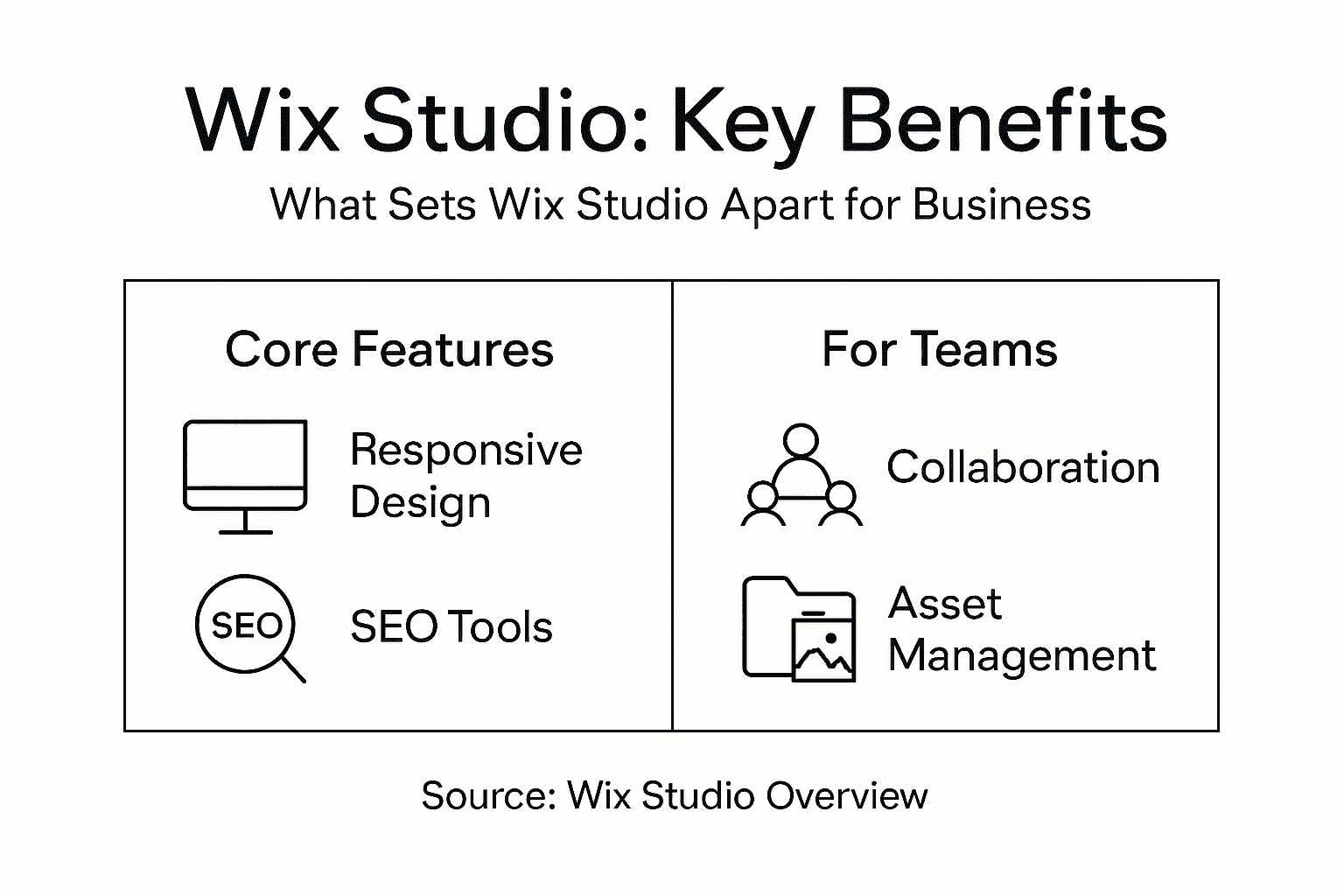
What separates Wix Studio’s SEO approach from competitors is accessibility. You don’t need to hire an SEO expert or install complicated plugins. The SEO controls live right in the editor where you’re already working. Adjust a heading structure and see immediately how it impacts your page hierarchy. Add alt text to an image and know that Google can now understand what the image contains.
The platform also handles technical SEO automatically. It generates clean URL structures, creates XML sitemaps, manages robots.txt files, and ensures proper canonical tags—all the behind-the-scenes work that most site builders force you to figure out manually.
Responsive design and SEO aren’t separate features in Wix Studio—they’re intertwined. A site that looks great on every device naturally performs better in search rankings.
For businesses competing in Hungary or globally, this matters intensely. Your competitors likely have websites already. The ones ranking higher probably have better mobile experiences and stronger SEO foundations. Wix Studio levels that playing field. You get professional-grade responsive design tools and SEO capabilities that previously required hiring specialists.
The real advantage emerges over time. As you publish content and build your site, the responsive framework ensures everything remains optimized. Add a new page? The responsive grid adapts automatically. Update text? The semantic structure updates with it. You’re not managing SEO and responsiveness separately—they work together.
One often-missed benefit is the performance angle. Wix Studio’s optimized code and responsive approach load faster than poorly-coded competitors. Page speed is an SEO ranking factor, and it’s also a user experience factor. Faster sites keep visitors longer. Longer visitor sessions signal to Google that your content matters. Everything connects.
Many small business owners assume professional SEO requires expensive tools and ongoing consulting. Wix Studio proves otherwise. The tools are here. They’re integrated. They work. What you need is a clear strategy for using them—which keywords to target, which pages to optimize, what content to create. The platform handles the technical execution.
Pro tip: Focus your SEO efforts on the pages and topics that directly relate to your actual business offerings—if you sell accounting services in Budapest, optimize for “accounting services Budapest” and related terms where you can genuinely help people, rather than chasing unrelated high-traffic keywords.
Collaboration, Workflow, and Client Management Benefits
Here’s where Wix Studio truly separates itself from solo website builders: it’s designed for teams and agencies, not just individual creators. If you’re running a web design business or managing projects for multiple clients, the collaboration features save you countless hours and eliminate the friction that slows down every project.
Traditional workflows are painful. One person designs in the editor. Another person reviews the work offline. Feedback comes through email, Slack messages, or comments scattered across different platforms. The designer makes changes, exports files, sends them back, waits for approval. Days pass. Deadlines slip. Everyone’s frustrated. Wix Studio eliminates this entirely through real-time collaboration.
Multiple team members work on the same project simultaneously. Changes appear instantly across everyone’s screens. No exporting. No importing. No version confusion. A designer adjusts the homepage layout while the copywriter updates text in the footer—both happening at the same time without conflicts or overwrites. Client stakeholders can view projects in progress without needing full editor access, leaving comments that the team sees immediately.
This workflow improvement translates directly to speed:
Reduced approval cycles: Clients see work in real-time instead of waiting for exported demos
Instant feedback integration: Team members respond to comments and make adjustments without delays
No duplicate work: Everyone sees the same current version, preventing accidentally undoing someone else’s changes
Faster project delivery: Combined effect of these improvements cuts typical project timelines by 20-30%
The centralized asset management system compounds these benefits. Instead of team members storing fonts, images, components, and color palettes in different places, everything lives in one organized library. A designer creates a button component once. That component exists everywhere in the project. Change the button style once, and it updates across hundreds of pages automatically. This alone prevents countless hours of repetitive work.
For agencies managing multiple client projects, the workspace organization becomes invaluable. You’re not juggling separate Wix accounts or trying to manage client access through confusing permission systems. Wix Studio provides a centralized dashboard where you see all client projects, team members, assets, and timelines in one place. Assign team members to specific projects. Set permission levels. Track who’s working on what. Everything you need to manage a growing agency lives in one interface.
Client management benefits extend beyond internal workflows. You can grant clients limited access to see their projects in progress without giving them full editing capabilities. They can leave comments, approve sections, and stay informed—all without accidentally breaking something. Some agencies even hand off complete projects to clients for self-maintenance, knowing Wix Studio’s intuitive interface means fewer support requests later.
When your entire team works in real-time with shared assets and centralized management, project delivery accelerates dramatically while quality improves because everyone’s literally on the same page.
The platform also supports version history and rollback capabilities. Made a change that didn’t work out? Revert to an earlier version instantly. This removes the anxiety from experimentation. Your team feels comfortable trying bold design directions knowing they can undo them without losing work.
For freelancers who occasionally collaborate with other designers or developers, the benefits still apply. You’re no longer managing file handoffs or worrying about whether your client has the latest version. Everything exists in one accessible space.
Another underrated advantage is the client onboarding speed. When a new client project starts, you don’t spend days setting up folders, permissions, and access credentials. Wix Studio’s built-in structure handles it. Invite the client. Assign your team members. Start building. The infrastructure exists.
Scalability matters here too. Whether you’re managing three client projects or thirty, the system handles it equally well. Your workflow doesn’t change. Your team knows exactly where to find projects and assets. New team members get productive quickly because the organizational structure is consistent across every project.
This summary illustrates how Wix Studio’s integrated features provide practical business value:
Feature | What It Does | Business Impact |
Real-time Collaboration | Enables simultaneous site editing | Shorter timelines, reduced errors |
Centralized Asset Management | Single library for all projects | Consistent branding, faster updates |
Responsive Grid System | Customizes every screen adaptation | Better mobile experience, higher SEO |
Built-in SEO Tools | In-editor optimization controls | Improved rankings, more web traffic |
Small and medium-sized agencies in Hungary especially benefit from this. You’re competing against larger agencies with more resources. Wix Studio levels the playing field by giving you professional project management and collaboration capabilities that previously required expensive project management software plus a web builder plus communication tools. It’s all integrated.
Pro tip: Set up clear naming conventions for projects, components, and assets from day one—this prevents confusion as you scale and makes it easy for new team members to find what they need without asking questions.
Wix Studio Compared to Other Website Builders
The website builder market is crowded. WordPress, Squarespace, Webflow, Shopify, classic Wix—each claims to be the best solution. But they’re solving different problems for different audiences. Understanding where Wix Studio fits helps you make an informed decision rather than assuming all builders are essentially the same.
Wix Studio’s core differentiator is its integrated ecosystem. Most builders force you to choose between simplicity and control, between ease-of-use and customization. Wix Studio combines AI-powered design with advanced customization capabilities while keeping the interface accessible to non-technical users. You get professional-grade power without needing to hire developers for basic customizations.
Consider how this compares to major competitors:
WordPress: Offers maximum flexibility and control but requires significant technical knowledge. You manage hosting, plugins, security, and updates yourself. Powerful for experts; overwhelming for small business owners
Squarespace: Prioritizes beautiful templates and simplicity but limits customization severely. Your site looks polished but generic. Custom features require workarounds or external tools
Webflow: Targets designers who want pixel-perfect control. Steep learning curve. Overkill for simple projects. Expensive for what small businesses actually need
Shopify: Specializes in e-commerce but works poorly for non-store websites. Pricing assumes high transaction volumes. Content-heavy sites feel awkward
Classic Wix: Simplicity is the strength, but you hit customization walls quickly. Decent for basic sites; restrictive for anything ambitious
Wix Studio occupies a sweet spot: professional capability without developer dependency. You can build complex, custom sites without touching code. But when you need custom code, it’s available. This flexibility matters enormously for agencies and growing businesses that outgrow template limitations.
The business management integration sets Wix Studio apart. You get project management, client collaboration, asset libraries, and workflow tools built into the same platform where you design. WordPress requires integrating separate tools. Squarespace offers minimal project management. Shopify focuses on e-commerce operations, not website team workflows. Wix Studio assumes you’re managing multiple projects with team members—the exact scenario small and medium-sized agencies face.
Responsive design implementation differs significantly too. Most builders force designers to view mobile as an afterthought, adapting desktop layouts for smaller screens. Wix Studio inverts this approach—you define custom breakpoints and adjust layouts at each point, treating responsive design as a first-class citizen rather than an aftereffect.
Wix Studio succeeds because it doesn’t force you to choose between being a professional tool and being usable—you get both simultaneously.
The market’s real truth: no builder dominates all scenarios. The best choice depends on your specific situation—team size, project complexity, customization needs, technical comfort, and budget. For the target audience of small and medium-sized businesses in Hungary and globally seeking modern, responsive websites with strong SEO capabilities, Wix Studio typically outperforms alternatives because it balances professionalism with accessibility.
Pro tip: Before committing to any builder, list your three most critical requirements (budget, features, team size) and evaluate only on those criteria—chasing the “best overall” builder leads to overpaying for features you don’t need.
Unlock the Full Potential of Wix Studio for Your Business
Struggling with design constraints or complicated client workflows? The article covers how Wix Studio solves these challenges with its responsive editing, custom code integration, and real-time collaboration. If you want a professional, scalable website that truly stands out and ranks well, relying on generic templates or solo tools will hold you back. Our web design agency specializing in modern responsive website design, SEO, and technical support for Wix and Wix Studio sites is here to help you harness Wix Studio’s power to build sites tailored to your business goals.

Experience faster project delivery, seamless team collaboration, and superior SEO results by partnering with experts who understand both the tools and your unique needs. Don’t let limitations stunt your growth. Discover how we can elevate your Wix Studio site today at WebCityX and learn more about why choosing Wix for business success makes a difference. Ready to streamline your website development and boost your online presence? Visit us now and let’s transform your vision into reality.
Frequently Asked Questions
What is Wix Studio?
Wix Studio is a professional website creation platform designed for agencies, freelancers, and growing businesses that require more control over their design and functionality compared to the standard Wix editor.
How does Wix Studio differ from classic Wix?
Wix Studio offers advanced design tools, custom code integration, and real-time collaboration features, while classic Wix focuses on simplicity and is more limited in customization options.
What are the key features of Wix Studio that benefit businesses?
Wix Studio includes responsive editing for various devices, custom code capabilities, built-in SEO tools, and a centralized asset management system that enhances collaboration and workflow efficiency.
Is Wix Studio suitable for small businesses or is it only for large agencies?
Wix Studio is suitable for both small businesses and large agencies. It provides the scalability and customization needed for complex projects while still being accessible for smaller client needs.
Recommended
