_edited.png)
Step by Step Website Launch for Wix Website Success

Updated: Jan 25

Launching your first website often feels overwhelming when you want your Hungarian business to stand out online. With so many choices and technical details, you might wonder how to build something that truly supports your goals and grows with your needs. By focusing on clear objectives, smart content planning, and step-by-step guidance tailored for Wix and Wix Studio, you can create a professional website that attracts customers and drives real results.
Table of Contents
Quick Summary
Key Insight | Explanation |
1. Define Specific Website Goals | Identify measurable goals like generating leads or reducing inquiries to guide content and design effectively. |
2. Thoroughly Test Before Publishing | Test all links and forms on multiple devices to ensure functionality and fix issues before going live. |
3. Optimize On-page SEO | Use descriptive titles and relevant keywords to improve search engine visibility and attract visitors. |
4. Organize Content Strategically | Create a content roadmap to ensure all necessary information is clearly presented and accessible. |
5. Customize Layout for User Engagement | Design your site layout intuitively to enhance navigation and encourage visitor interaction with your content. |
Step 1: Define your website goals and prepare content
Before you launch your Wix website, take time to answer one fundamental question: what do you want your website to accomplish? This step determines everything that follows, from the pages you build to the content you create. Without clear goals, you’ll end up with a website that looks nice but doesn’t drive the results your business needs.
Start by identifying what success looks like for your business. Are you trying to generate leads from potential clients? Do you want to reduce the number of customer support questions you receive? Maybe you’re looking to increase sales of a specific product or service. Setting clear goals guides your content and design by keeping your team focused on what actually matters to your users and your business. Write down three to five specific goals. “Get more traffic” is too vague. Instead, try “attract 50 qualified leads per month” or “reduce customer inquiries about pricing by creating a detailed FAQ page.” Your goals should be measurable so you can track whether your website is working when it goes live.
Once you know your goals, audit what content you already have. Do you have product descriptions, case studies, or testimonials scattered across emails or documents? Gather these materials and organize them by topic. Think about how your product delivers value to customers, because that’s what your website needs to communicate. As you collect content, ask yourself what information your visitors actually need to make a decision. Hungarian small business owners often struggle here because they focus too much on what they want to say rather than what customers want to know. Your website should answer the questions your target audience is asking before they ever pick up the phone or send an email.
Pro tip: Create a simple spreadsheet listing each page you plan to include, the goal it serves, what content already exists for it, and what needs to be created or updated. This becomes your content roadmap and keeps you from launching pages with missing or outdated information.
Step 2: Set up your Wix or Wix Studio platform
Now that you have your goals and content ready, it’s time to get your Wix account up and running. This step is where your website begins to take physical form. You’ll move from planning to actually building, and the good news is that Wix makes this process straightforward for business owners with no technical background.
Start by visiting Wix.com and creating your account. You’ll need an email address and password to get going. Once you’re logged in, Wix will walk you through choosing a template that matches your business type. Don’t get stuck here trying to find the perfect design right away. Templates are completely customizable, so pick one that has the general layout and vibe you want, knowing you can change colors, fonts, and sections later. If you’re using Wix Studio instead, you’ll have even more flexibility with design customization from the start. Next, you’ll select a domain name, which is your website’s address. You can register a new domain through Wix or connect an existing one you already own. Your domain should be easy to remember and relevant to your business. Many small business owners in Hungary prefer domains that include their city or business type to help with local search visibility.
Once your template and domain are set, start configuring the basic settings. This includes setting up your content management features to organize how your website functions. Connect your email address so you can receive customer messages and notifications. If you plan to sell products or services, set up your payment processing through Wix’s built-in tools. You should also consider accessibility standards from the beginning, as they ensure your website works for everyone and protects your business legally. Take time to review Wix’s security settings and make sure two-factor authentication is enabled to keep your account safe. The setup process itself takes about 15 to 30 minutes, but don’t rush through it. Getting these fundamentals right now prevents headaches and rework later.
Pro tip: Before you start customizing pages, spend 10 minutes exploring Wix’s app marketplace and integrations. You might find tools for email marketing, scheduling, or payment processing that your business needs, and installing them during setup is faster than adding them later.
Here’s a concise overview of essential Wix setup considerations and their impact:
Setup Area | Why It Matters | Typical Pitfall | Best Practice |
Template Selection | Influences branding and navigation | Over-focusing on aesthetics | Choose for layout, not color |
Domain Name Choice | Affects search visibility and recall | Picking complex names | Keep short and relevant |
Basic Settings | Controls key site functions | Skipping notifications setup | Connect email and payments |
Security Settings | Protects user and company data | Forgetting two-factor auth | Enable from the start |
Step 3: Customize your website design and structure
This is where your website transforms from a template into something that reflects your business. Design and structure are not just about making things look pretty. They determine how easily visitors find information, understand your offerings, and take action. A well-organized website keeps people engaged, while a confusing one sends them to your competitors.
Start by thinking about how you want visitors to move through your site. Effective website layout design determines user engagement and success by guiding people naturally toward your most important content. In Wix, this means deciding what goes in your navigation menu. Your primary menu should include your main pages: Home, About, Services or Products, and Contact. Keep it to five to seven items maximum. Anything more becomes overwhelming and makes it harder for people to find what they need. Within each page, use headings and subheadings to break up content into scannable sections. People rarely read websites word for word; they scan. Use your template’s preset heading styles to create clear visual hierarchy. When you structure content with proper use of headings and navigation elements, you improve both user experience and search engine visibility.

Next, focus on visual customization. Change the colors to match your brand, update fonts to something that reflects your business personality, and adjust spacing and sizing to feel balanced. Wix’s design tools let you modify these elements without any coding. Pay attention to how your call-to-action buttons stand out. A button for contacting you or making a purchase should be visually distinct from other elements. Test how your site looks on mobile devices, since many Hungarian business owners and customers browse on smartphones. Your layout should adapt smoothly to smaller screens. Don’t overcrowd pages with too many images or elements. White space matters. It makes your content easier to read and your site feel more professional.
Pro tip: Before finalizing your design, take screenshots of three websites you admire and identify what makes them work. Do you like the color scheme, the spacing, the way buttons look? Use these observations to guide your customization choices, but remember to keep your branding consistent throughout.
Step 4: Optimize on-page SEO and connect your domain
Search engine optimization might sound technical, but it boils down to helping Google and other search engines understand what your website is about. When you optimize your on-page SEO, you’re making it easier for potential customers in Hungary to find you when they search for your services. Connecting your domain properly ensures your website is secure and trustworthy.
Start with your page titles and descriptions, which appear in search results. Every page on your website should have a unique, descriptive title that includes a keyword related to that page’s content. For example, if you’re a plumber in Budapest, your homepage title might be “Professional Plumbing Services in Budapest” rather than just “Home.” Your meta description should be 150 to 160 characters and summarize what visitors will find on that page. In Wix, you can edit these directly in the page settings. Next, write your page content with your audience in mind. Optimizing on-page SEO includes using clear, audience-focused content in plain language that answers questions your customers are actually asking. Use your target keywords naturally throughout your content, but never force them in a way that sounds awkward. Headings and subheadings should also include relevant keywords when it makes sense.
Technical SEO matters just as much as content. Make sure your site has an XML sitemap, which helps search engines crawl and index your pages. Wix generates this automatically, but you should verify it exists in your settings. Key technical SEO steps include checking for errors and ensuring site URLs are consistent, which Wix handles for you by default. Now for the domain connection: if you registered your domain through Wix, this is already done. If you own a domain elsewhere, you’ll connect it through Wix by updating your domain settings with your current registrar. Enable SSL security, which adds the padlock icon to your URL and tells visitors their data is safe. Finally, test your website on mobile devices and use Google’s Mobile-Friendly Test tool to ensure everything works smoothly on smartphones. This matters because most people browse on mobile, and Google prioritizes mobile-friendly sites in search rankings.
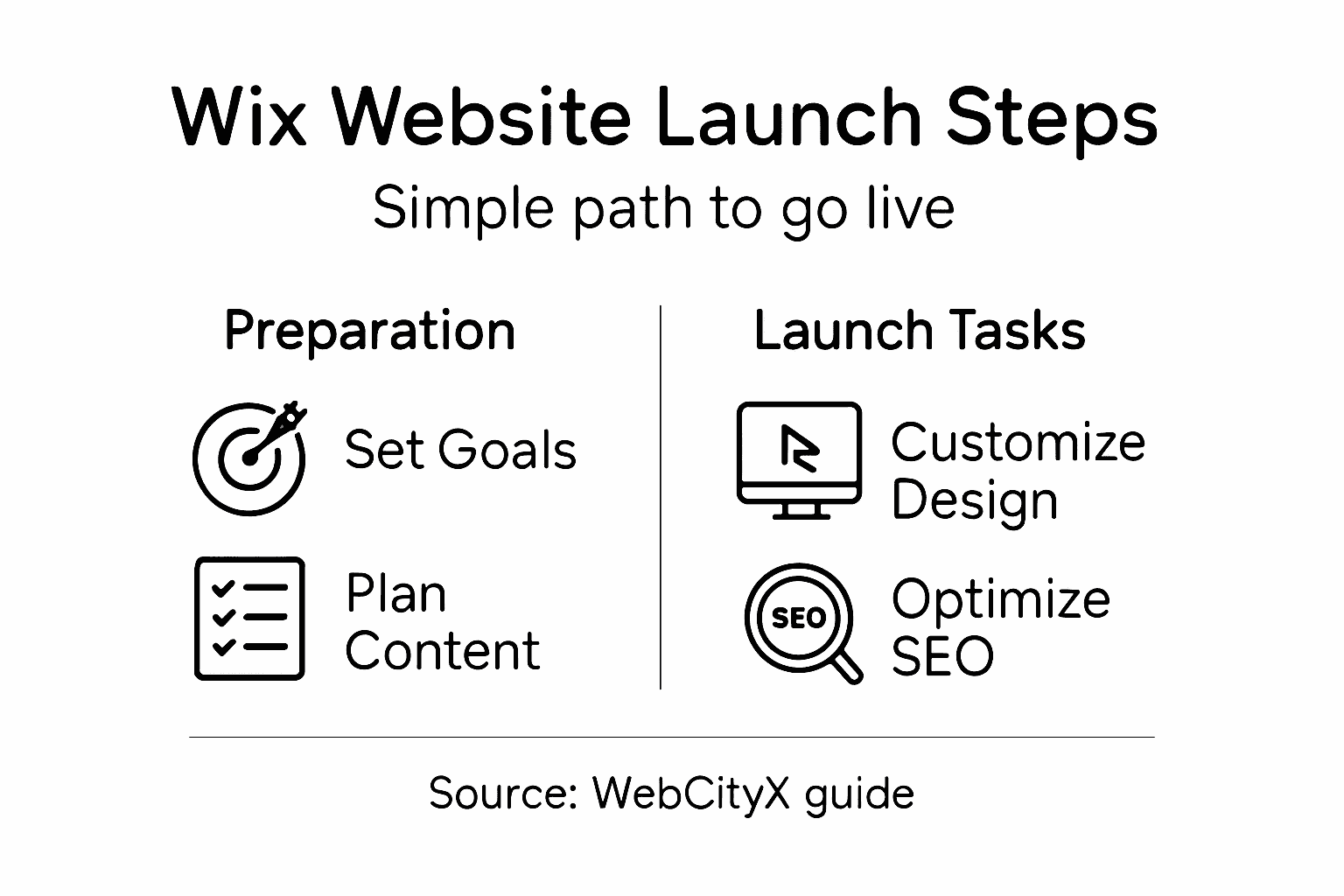
Pro tip: Before going live, submit your sitemap directly to Google Search Console and set up a Google Analytics account. These free tools show you exactly how people find your site and which pages they visit most, giving you data to improve your website over time.
Step 5: Test, review, and publish your website
You are almost at the finish line. Before you make your website live to the world, you need to thoroughly test it and review every detail. This step catches problems that could embarrass your business or frustrate visitors. A buggy website that doesn’t work properly will drive people away faster than no website at all.
Start by testing every link on your site. Click through your navigation menu and make sure all internal links work. Check external links too if you have them. Look for typos and grammatical errors in your content, especially on important pages like your homepage and contact page. Read through your text out loud if you can, as this helps you catch awkward phrasing. Next, test your website on different devices and browsers. Open it on your phone, tablet, and computer. Try it in Chrome, Firefox, Safari, and Edge. Your site should look good and function properly on all of them. Extensive testing of navigation, mobile responsiveness, and browser compatibility is essential before publishing to ensure no errors exist. Pay special attention to forms and buttons. If you have a contact form, send yourself a test message to confirm it works and that you receive the email.
Check that your SSL certificate is active, which you’ll see as a padlock icon in the browser address bar. Verify that all your SEO settings are correct by looking at each page’s title and meta description one more time. Test your site speed using Google PageSpeed Insights to make sure it loads quickly. Slow websites frustrate visitors and hurt your search rankings. Once everything checks out, it is time to publish. In Wix, this is simple: click the publish button and your site becomes live. Publishing makes your site accessible to the public and marks the transition from development to operation, so take a moment to celebrate. After publishing, your work does not stop. Monitor how visitors use your site by checking your analytics regularly. Pay attention to which pages they visit most and where they spend time. This information helps you improve your website over time.
The following table summarizes critical tests to perform before publishing your Wix site:
Test Area | Focus | What to Look For |
Navigation | Menu links, page paths | Broken or missing links |
Mobile/Desktop | Responsive layout across devices and browsers | Content overlap, image scaling |
Forms/Buttons | Contact, newsletter, action buttons | Non-working submissions or errors |
SEO & Speed | Page titles, meta info, site loading | Duplicate titles, slow loading |
Pro tip: Ask three trusted friends or colleagues to test your website before publishing and give you honest feedback. Fresh eyes catch things you might miss after staring at your own site for hours, and their real-world perspective is invaluable.
Launch Your Wix Website with Confidence and Expert Support
Launching a Wix website can feel overwhelming when you face challenges like clear goal setting, content preparation, seamless design customization, and on-page SEO optimization. This article highlights common pain points such as choosing the right template, ensuring mobile responsiveness, and testing every detail before publishing. Many business owners miss crucial steps like connecting their domain securely or verifying SEO settings which can hold back website success.
At WebCityX, we specialize in website design, SEO, and technical support tailored for Wix and Wix Studio platforms. We help you avoid pitfalls by guiding you through defining goals, creating user-focused content, and crafting a smooth navigation experience that drives visitors to action.

Don’t wait until launch day to discover hidden issues. Let our team help you build a professional Wix website that looks great, works flawlessly, and ranks well in search results. Visit WebCityX homepage now to get expert assistance and turn your website vision into reality. Take the next step toward Wix website success by exploring our custom website design solutions and technical support services built just for you.
Frequently Asked Questions
What is the first step to launch a successful Wix website?
Before launching a Wix website, define your website goals. Identify what outcomes you want to achieve, such as increasing leads or reducing customer inquiries, and document three to five specific measurable goals.
How do I set up my Wix account and choose a template?
To set up your Wix account, visit Wix.com, create an account with your email and password, and choose a template that fits your business type. Remember, templates are customizable, so focus on the layout rather than the aesthetics at this stage.
What is the importance of customizing my website design and structure?
Customizing your website design and structure helps create a user-friendly experience, guiding visitors to your most important content. Ensure your navigation menu includes five to seven key pages and use headings and subheadings to organize your content for easier scanning.
How can I optimize my on-page SEO for my Wix website?
To optimize your on-page SEO, create unique titles and meta descriptions for each page that include relevant keywords. Additionally, write clear content that naturally incorporates those keywords, ensuring your website is easily discoverable by search engines.
What steps should I take before publishing my website?
Before publishing your website, thoroughly test every link, check for typos, and review the site’s performance on different devices and browsers. Confirm that your SSL certificate is active and that all SEO settings are correct to ensure a smooth launch.
How can I monitor my website’s performance after it’s live?
After publishing your website, use analytics tools to monitor visitor behavior and traffic. Pay attention to which pages attract the most visitors and how long they stay, allowing you to make informed updates and improvements over the following weeks.
Recommended
